Edge View Full Motion Video
Advanced Video Distribution & Intelligence Production
Edge View delivers tactical mission feeds with sub-second latency, making it the go-to cloud-based, FMV intelligence platform.
The Go-To FMV PED Platform
Built to significantly reduce the cost of airborne ISR video distribution and drastically increase the rate at which AI technologies can be integrated.
Active Certification to Field
Edge View software has been certified for use with Government systems and is in compliance with International (ISO/IEC) and Motion Imagery Standards Board (DoD/IC/USIGS) specifications.
Chose your platform
Deployable on any modern cloud or edge architecture. Modern software that delivers highly efficient processing and dynamic mission automation, significantly reducing infrastructure resource requirements.
Edge View Features
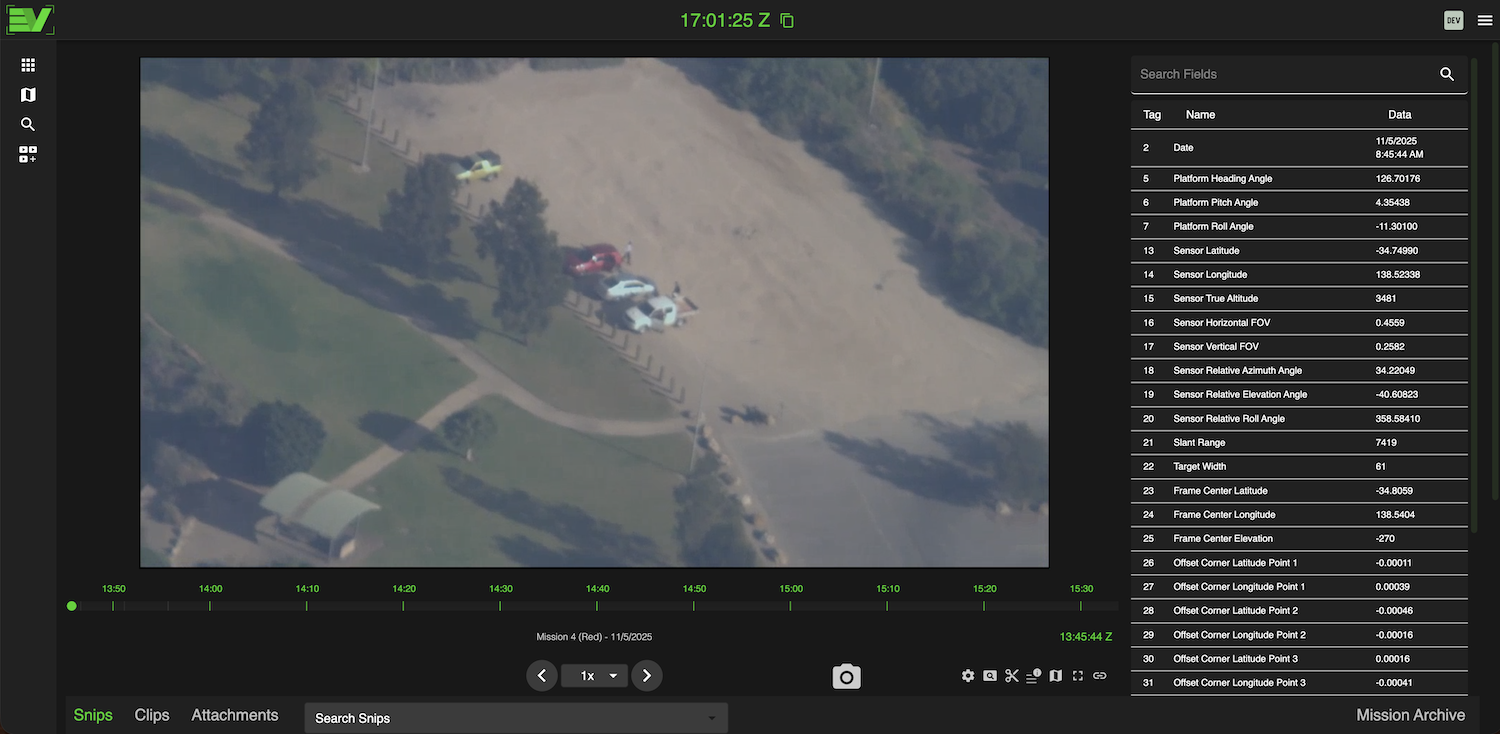
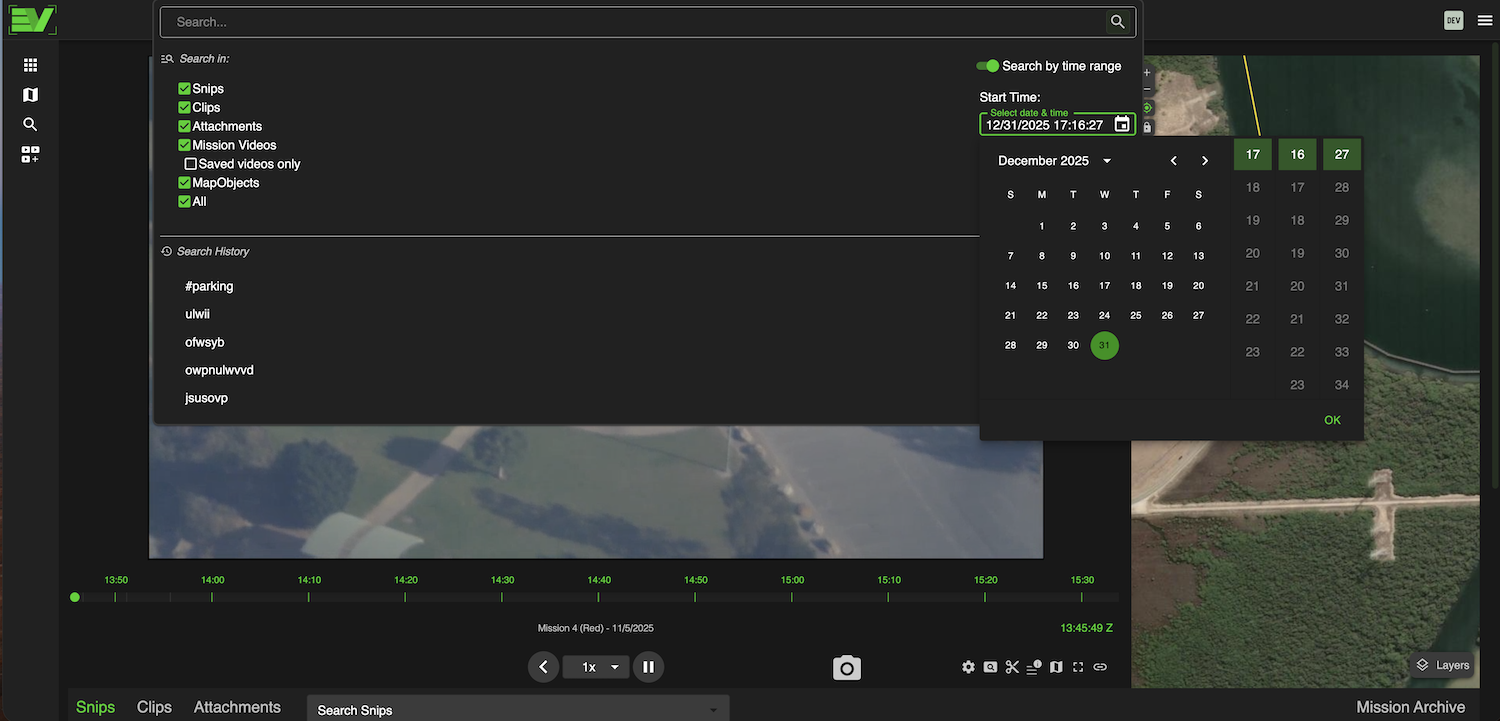
Edge View provides several tools that supercharge your PED workflows. Capturing precise stills and motion clips is a breeze - then tag, annotate, and share. Edge View’s global search capability allows you to perform temporally bounded text searches across all missions and products.
- Still capture: A prominent snip buttonand viewer to app/folder drag-n-drop provides maximum flexibility for your workflow
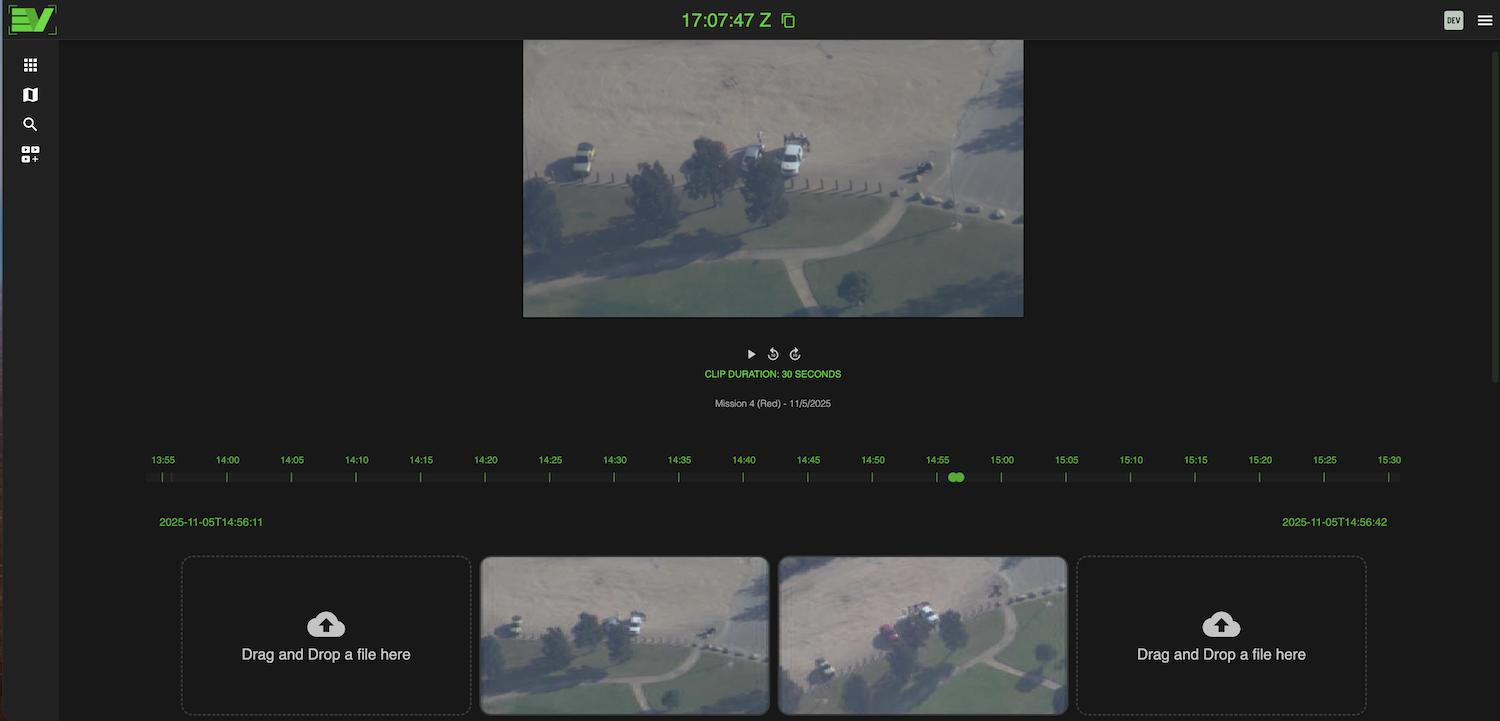
-Motion video clipping: Clipping precise video segments in Edge View’s clipping tool is intuitive and fast. Include any intro and outro markings you require and export!
-Global & mission-specific search: Powerful search tools to quickly and easily find analyst products or mission events
In-Context Situational Awareness
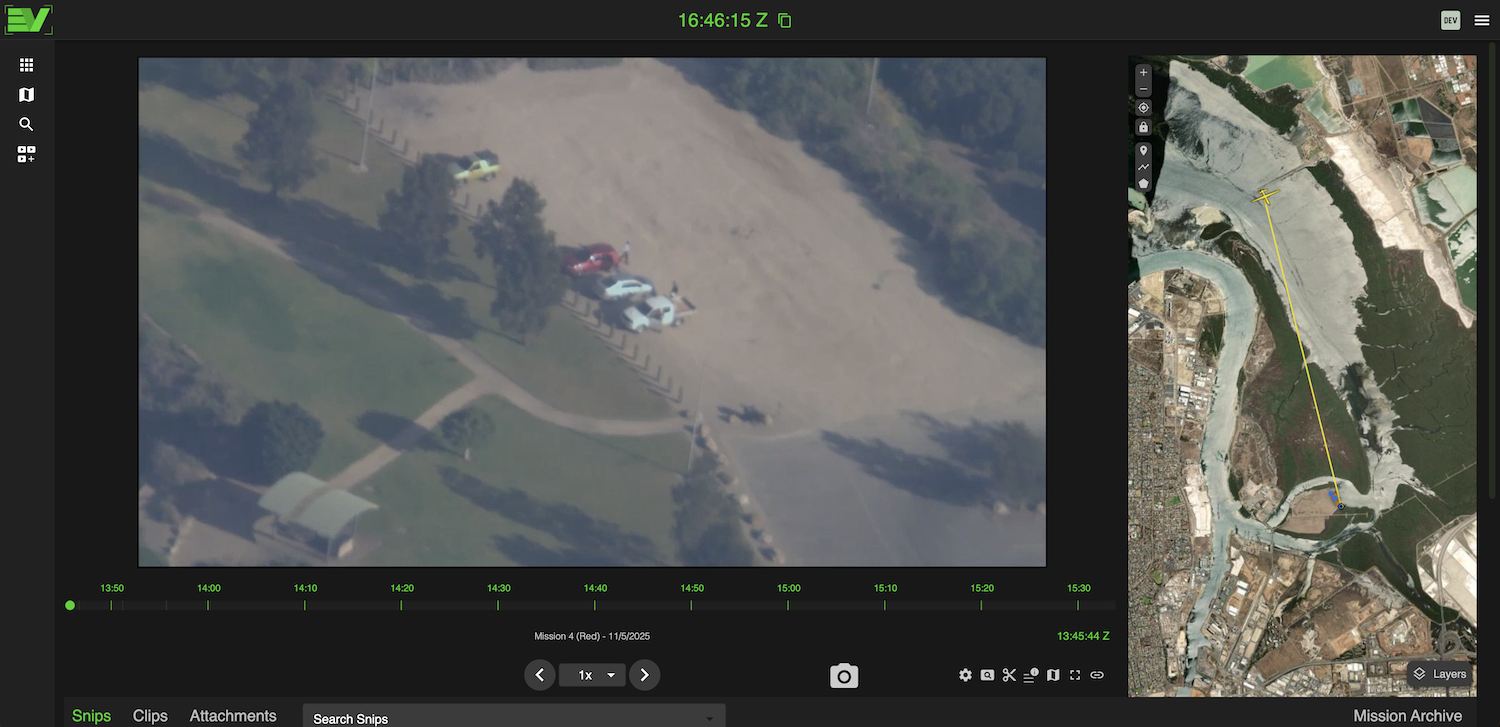
Edge View provides fully synchronized situational awareness while viewing FMV. Data integrations are also available that offer information overlays from numerous intel sources.
-Edge View’s viewer can also capture user input. For example, one way this is useful is for capturing coordinates. Hover the cursor over the viewer and a triangular marker will appear at that exact location on the map. Right-click to instantly capture coordinates
-The map’s gimbal lock allows a user to lock the synchronized map view to match the viewer's perspective
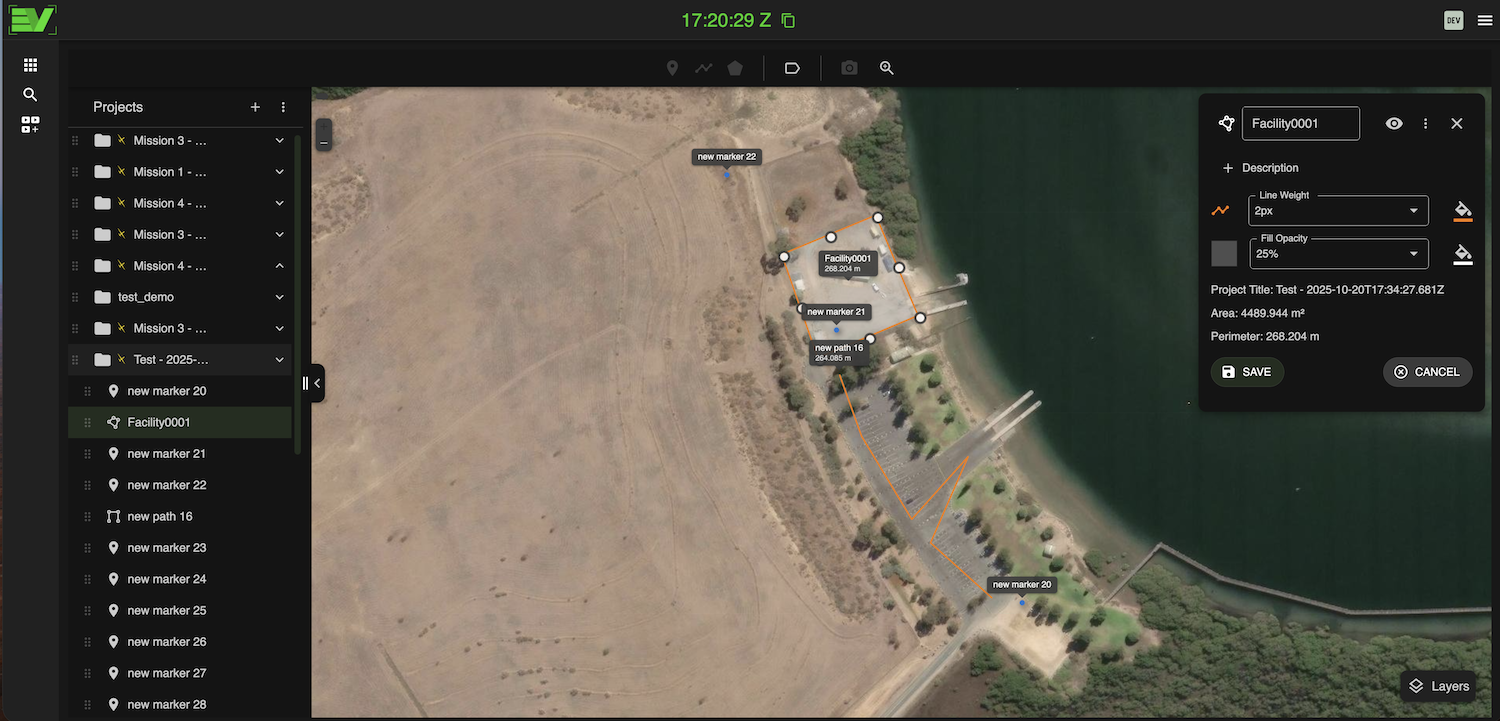
- Add, edit, and export map objects such as points, polylines, polygons, and still images
Effortless Motion Imagery
(Clip) Production
With the clip production tools in Edge View, building finished motion video products has never been more intuitive or efficient. Select your bounds with fine adjustments on the scrub bar, or use the time picker to establish exact beginning and end bounds. Add your marking slides for your intro and outro, if required, tag or annotate if you wish, and then export. That’s it. Your finished product will be processed and made available to review, download, and distribute.
Built to significantly reduce the cost of airborne ISR video distribution and increase the rate at which AI technologies can be integrated, Edge View is being adopted and has garnered the interest of several organizations with a need to upgrade their cumbersome and expensive legacy systems.
Robust Map Tools
-Edge View's integrated map tools complement its powerful FMV viewing and production capabilities
-View all live platform overlays and their associated sensor data
-Draw and edit points, polygons, polylines, and more. All objects can be nicely organized and associated with a specific mission's products. Or, create project folders and subfolders and organize them in any way to suit your workflow. For sharing map objects, conveniently import or export KMZ or KML
-Edge View’s integrated Imagery Connect capability allows users to interact with multiple imagery libraries. Select an area and window of interest and query for existing imagery, then receive notifications when new imagery becomes available (and more)
Powerful Integrated
Search Tools
Edge View allows users to search within a mission for mission-specific products, such as snips, clips, attachments, and more. But, Edge View also provides a global search capability that performs information retrieval across all missions and products.
-Global search includes convenient time-picker UI tools to select dates and times of interest easily
-A user may choose to filter by only products under their own profile or all user-generated products
-Information retrieval by Edge View’s Global Search tool is clean and intuitive. A user will be presented with any search results and their associated metadata
-The Global Search workflow is efficient. Results of interest are clickable, directing the user to the mission for which the product was produced. From there, you can interact with the associated mission, and edit, share, or download data of interest
And More:
