Edge View
Integrated Drone Awareness
Nine Hill's drone sensing network delivers federation of all available sensors into one powerful and intuitive cloud-based drone awareness platform.
Rapidly Growing Sensor Network
Whether your team is concerned about unauthorized drone activity or is flying reconnaissance and needs to deconflict your airspace, Edge View's distributed Scout network federates all real-time drone activity to any device.
Persistant Airspace Awareness
Edge Scout sensors continually provide Edge View with streaming real-time detections. Set up SMS and email notifications for your area of responsibility and never miss a breach.
Chose your platform
Edge View is accessible through any browser on Windows, Mac, or mobile. Even synchronize detections through your TAK server.
Easily Get Connected Using
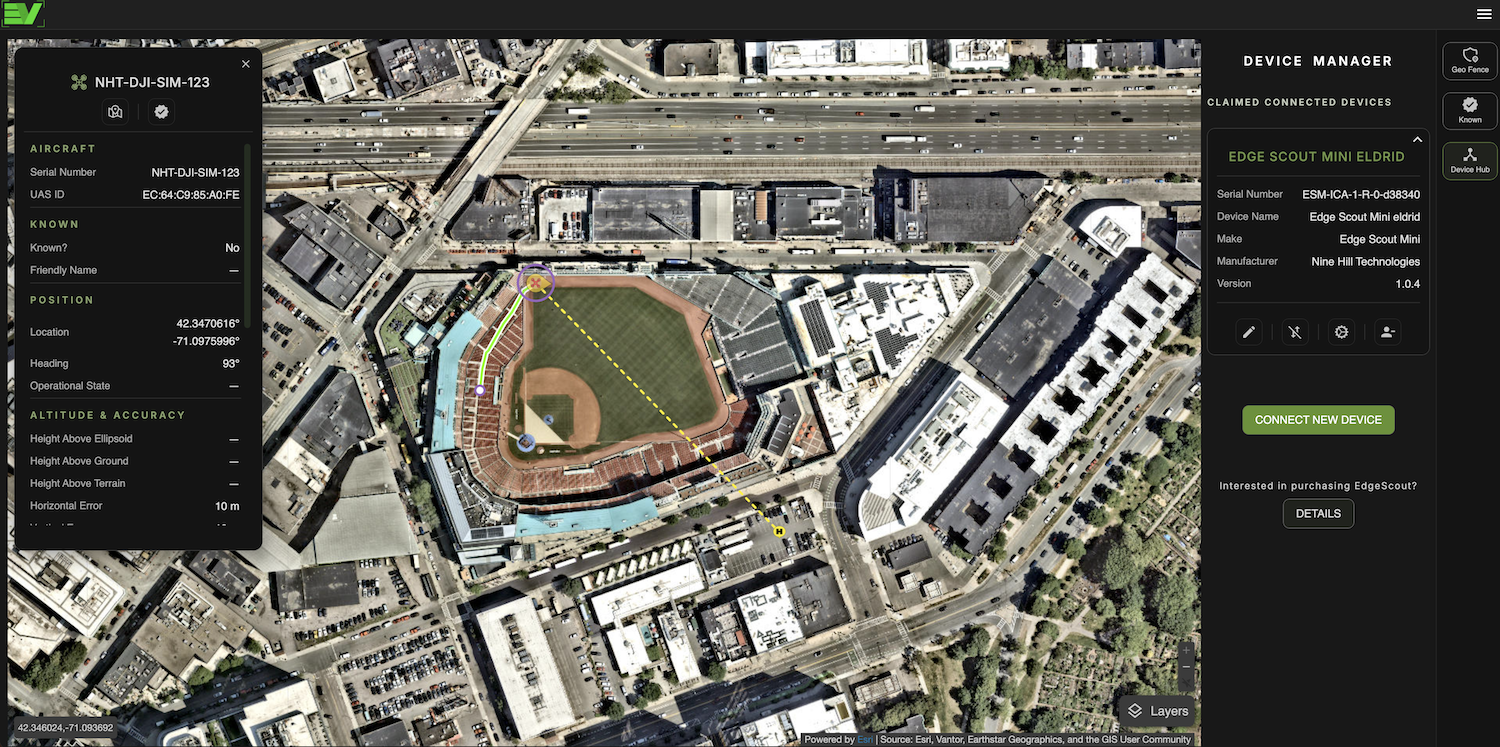
Device Manager
Edge View is free to use for drone monitoring even without your own Edge Scout sensor. But if you have an Edge Scout, connecting it to our sensor network by using Edge View's Device Manager couldn't be easier.
-Connect and manage your Edge Scout sensors
-View your device's info and upgrade as new firmware becomes available
-Edit the name of your device
Monitor and Evaluate Detailed Detections
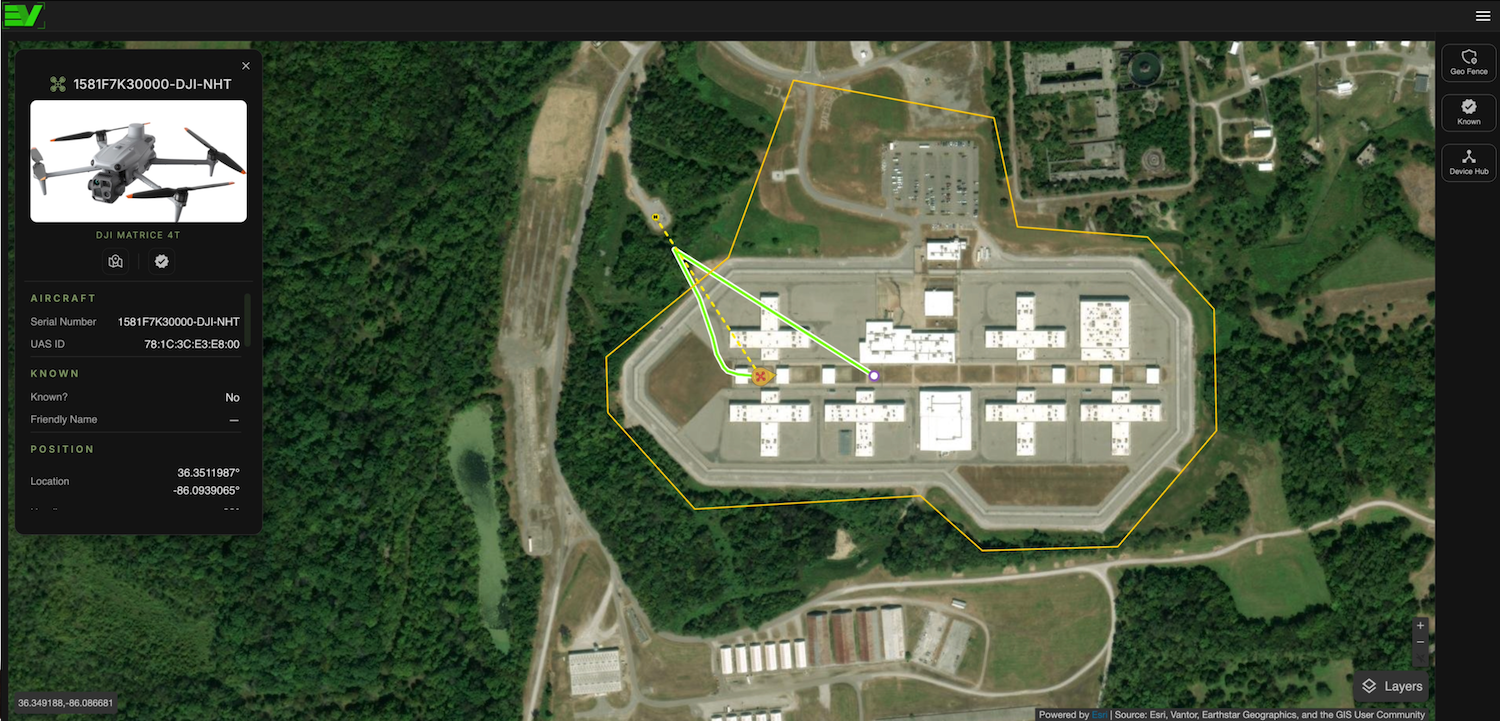
Detections in Edge View are displayed in near-real time and provide a high level of flight and operator information.
-Get the position of the drone and operator, flight path, drone and receiver serial numbers, UAS ID, approximate altitude, horizontal and vertical speed, and drone make and model, if available.
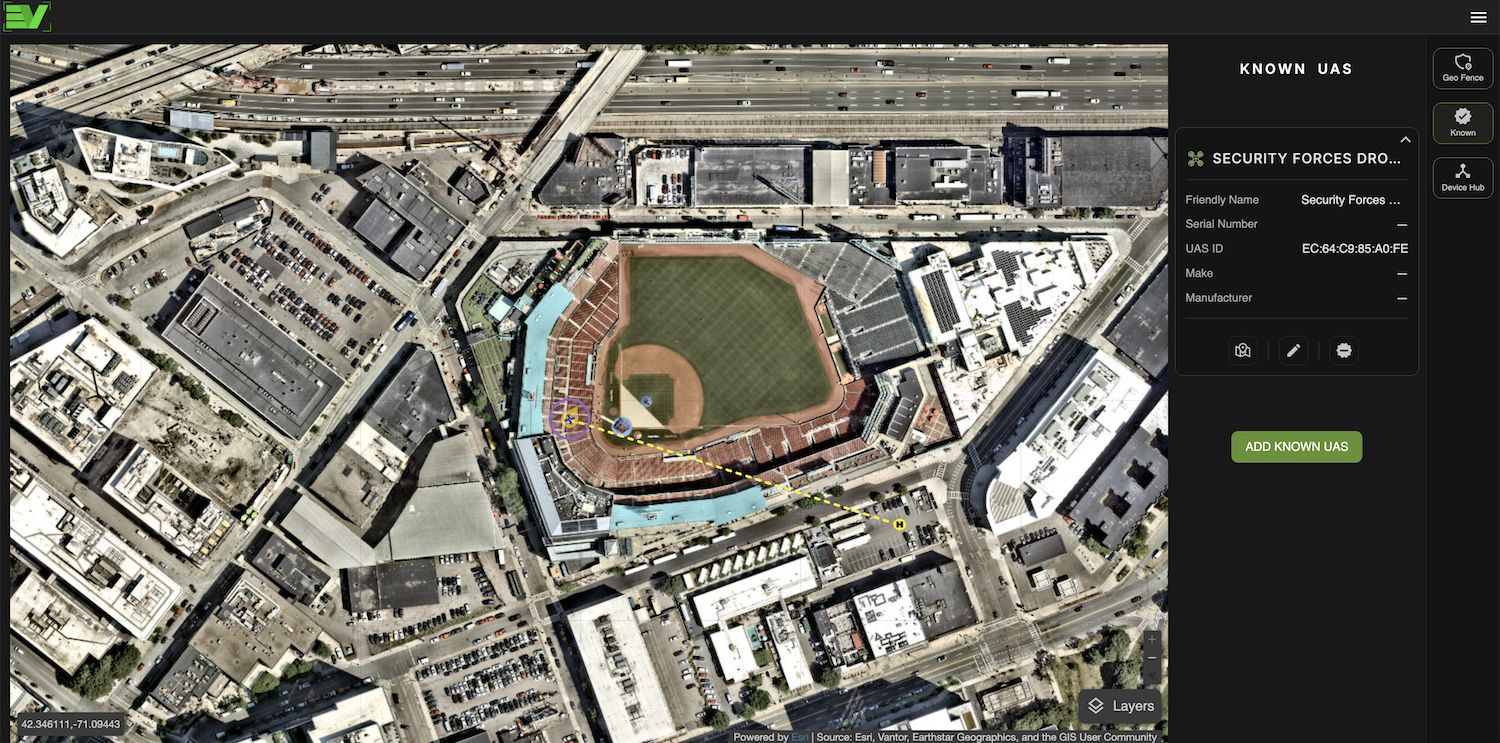
-With a paid Pro account in Edge View you can tag any friendly or known drones of your choosing. Known drones show up as blue icons on the map and also allow you to tag the drone with additional data.
Geofencing for Persistent Watch
and Notifications
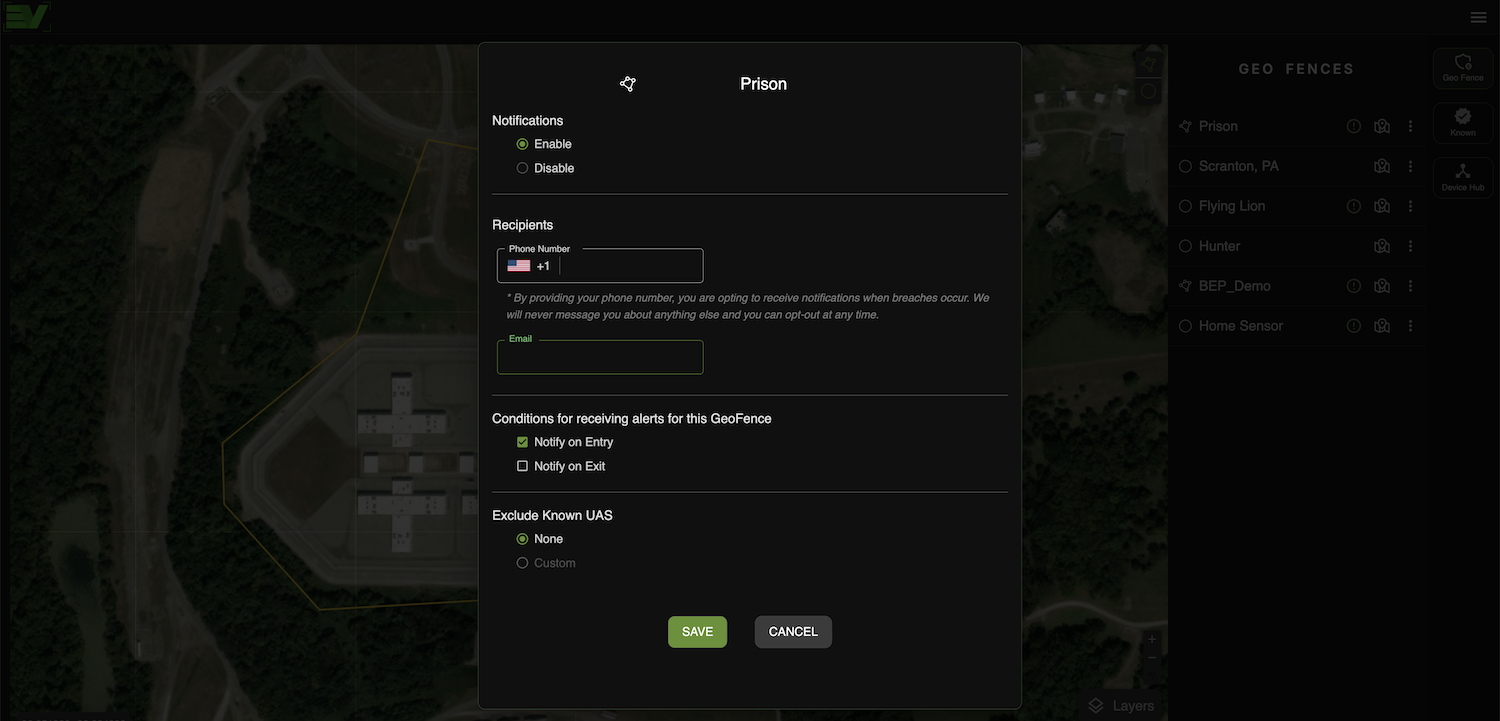
The geofencing feature in Edge View allows users to define specific geographic areas of interest on the map. When a drone enters or exits these predefined zones, Edge View can trigger real-time notifications via SMS or email to alert users of potential unauthorized drone activity.
-Send notifications to up to five of your team members for any designated region
-Draw your custom geofence using a radius or a polygon of the perimeter of your AOR
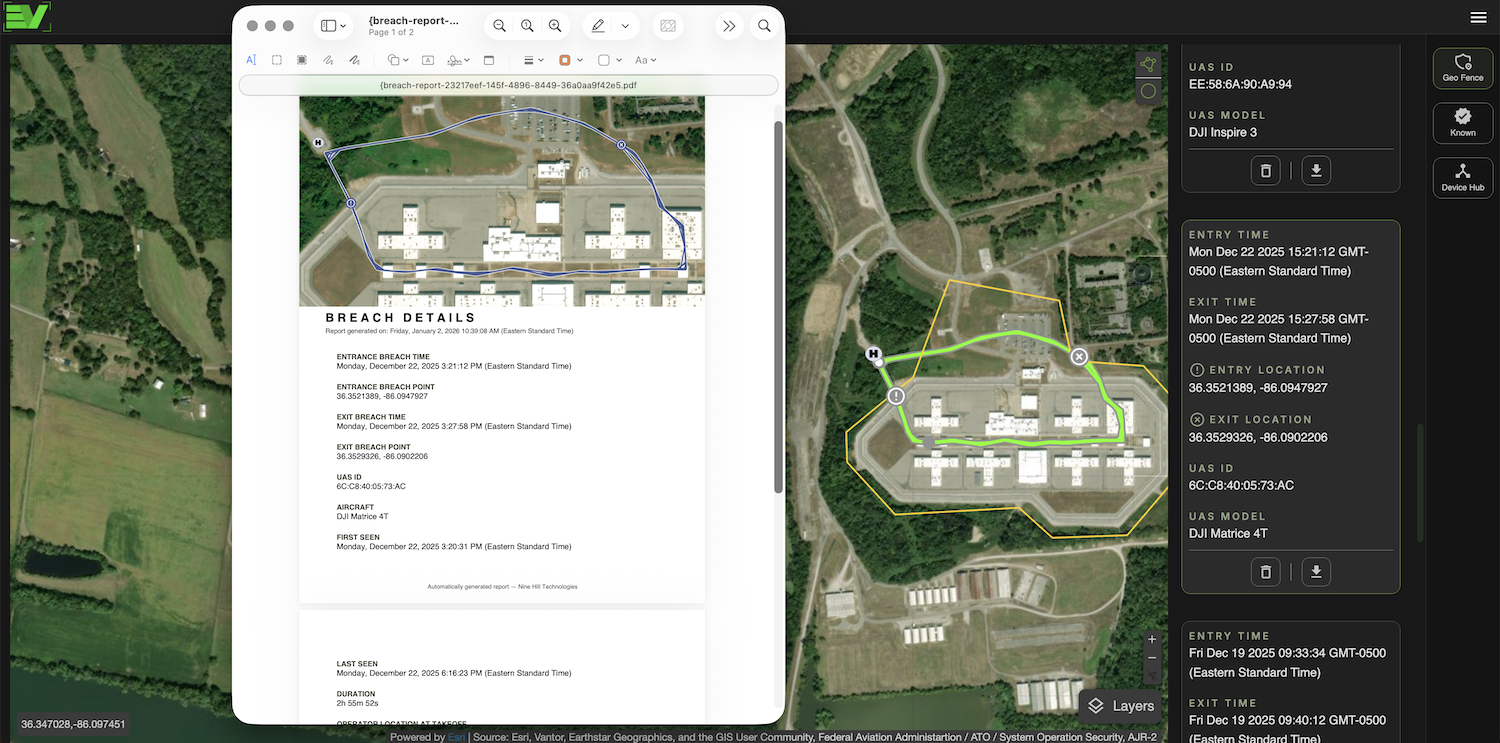
-Geofence breaches are saved and are exportable in a .pdf report and KML flight path for any reporting needs
Automate Breach Reporting
Once you have set up a geofence in Edge View, any time a drone enters or exits the defined area, a breach event is automatically logged. Users can then generate detailed breach reports that include the time and date of the breach, drone and operator details, flight path, and other associated metadata. These reports can be exported in various formats for further analysis or record-keeping.
-Automatically generated breach reports are immediately available post-flight for any geofence
-A KML flight path is also automatically generated for each breach event for convenient export to your GIS of choice, such as ArcGIS or Google Earth
Uniquely Tag Your Own
and Other Known Drones
It is important for your Team's airspace awareness that you can differentiate between friendly and nuisance, or potentially hostile, drones. Edge View allows you to tag any friendly or known drones you choose. Known drones appear as blue icons on the map, and Edge View also lets you tag them with additional data.
-Choose a drone you would like to tag while it is being detected, or manually add your drones by adding their serial numbers
-Drones identified as 'known' are distinctly shown on the map in a blue color
-You can choose to exclude your 'known' drones from breach reporting
Map Features
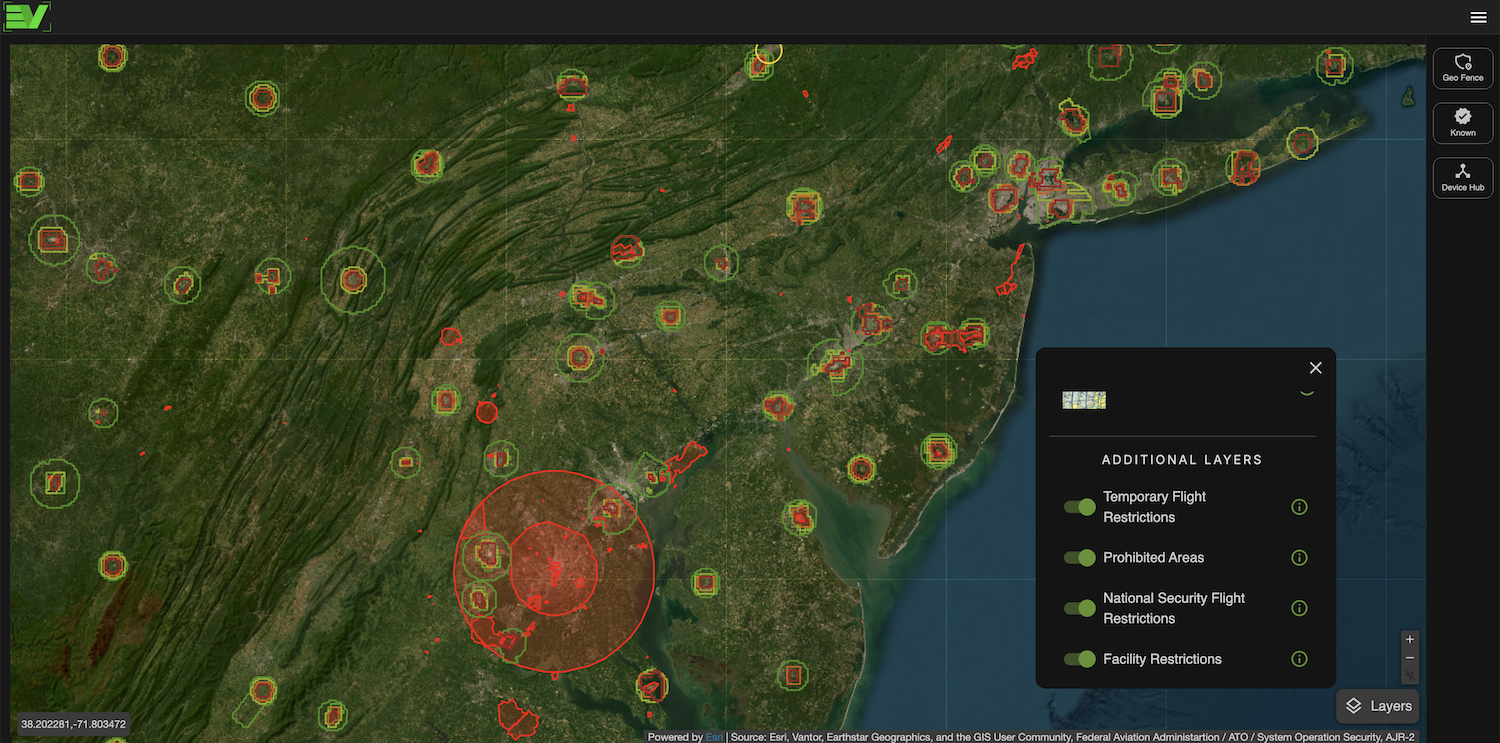
In addition to the street, satellite, and Aeronautical base maps, other important information layers can be enabled within Edge View. These layers are continuously updated to provide critical context for drone operations and airspace management.
-Layers include temporary flight restrictions, prohibited areas, national security flight restrictions, and other facility restrictions
-Layer objects can be selected to expand on restriction details such as location ID, NOTAM key, facility information, flight ceiling, start and end date, and more
-The layer objects can conveniently be selected and used for geofencing and notifications
Pricing
Choose the features you need. Edge View Device Hub must connect to mobile Edge Scout sensors using a PC or Mac. Edge Link and Tower synchronize automatically with the Edge View cloud platform. View detections on any computer, phone, or tablet.
Free
Limited Features
$12.99/mo
Personal / Non-Commercial Use
$29.99/mo
Personal & Commercial Use
$49.99/mo
Personal & Commercial Use
Free
Limited Features
$120/yr
Personal / Non-commercial Use
$300/yr
Personal & Commercial Use
$500/yr
Personal & Commercial Use
